Setting up Ollama Cloud with Raycast's new BYOM

Yesterday Raycast announced the return of Bring Your Own Model (BYOM) to Raycast v2, their new default version of Raycast.
I've been using Raycast as my default interface for general AI stuff, switching between the built-in models as I move between use cases.
BYOM now unlocks using my Ollama Cloud subscription inside Raycast. That gets me all of Ollama's open weight models running in their cloud with Zero Data Retention (ZDR) on my interactions.
Setting it up
Raycast BYOM seems to work exclusively with OpenAI style APIs, which is quite common in the AI tooling industry these days. Luckily Ollama offers exactly that, on both the local running instance and its cloud plans.
/v1) is different than that of their own default API (/api). Make sure to use the former.
Head to your Raycast settings, open the AI section and scroll down a bit to Custom Providers. Their changelog, docs and marketing calls the whole feature BYOM, in the settings it lives under Custom Providers. The naming consistency could've been better here.
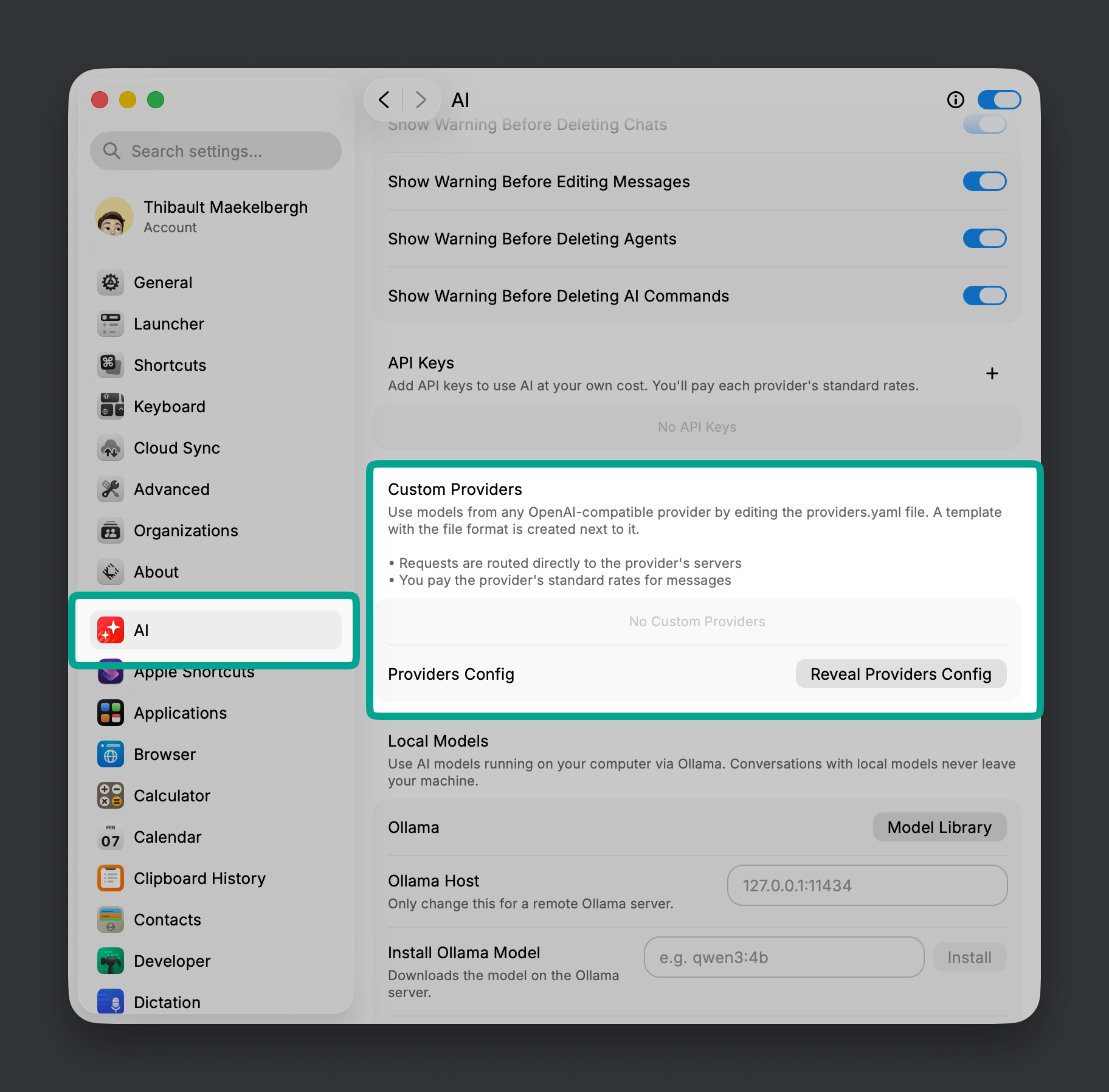
By default no providers are configured, but clicking the Reveal Providers Config button opens the Finder and points you to a YAML file documenting how to set up Custom Providers, with examples for OpenRouter, Vercel AI Gateway and LiteLLM.
I decided to purely set up Ollama, so I observed the template file, deleted it and wrote a minimal one containing only Ollama Cloud. Copy this example into a providers.yaml in this directory, create a new API key on Ollama and add it to the config:
providers:
  - id: ollama_cloud
    name: Ollama Cloud
    base_url: https://ollama.com/v1
    api_keys:
      raycast: YOUR_KEY_FROM_OLLAMA
    models:
      - id: glm-5.3-flash
        name: GLM Flash (latest)
        provider: ollama_cloud
        context: 1000000
        abilities:
          temperature:
            supported: false
          vision:
            supported: true
          system_message:
            supported: true
          tools:
            supported: true
          reasoning_effort:
            supported: true
Custom provider template at ~/.config/raycast/ai/providers.yaml
Adding models
My example above includes glm-5.3-flash (a recent favorite) and aliases it as GLM Flash (latest) for use in Raycast. I like using aliases: I tend to use the latest version of my preferred models anyway, and this way I don't have to remember which version is actually latest. When a new one drops, I just update the model ID in the config and keep selecting GLM Flash (latest) in my Raycast AI chats.
To add more models to the config correctly, head over to Ollama's models page and filter on Cloud models. From there, copy its ID (without the :latest suffix) and pay attention to the supported capabilities and context window.
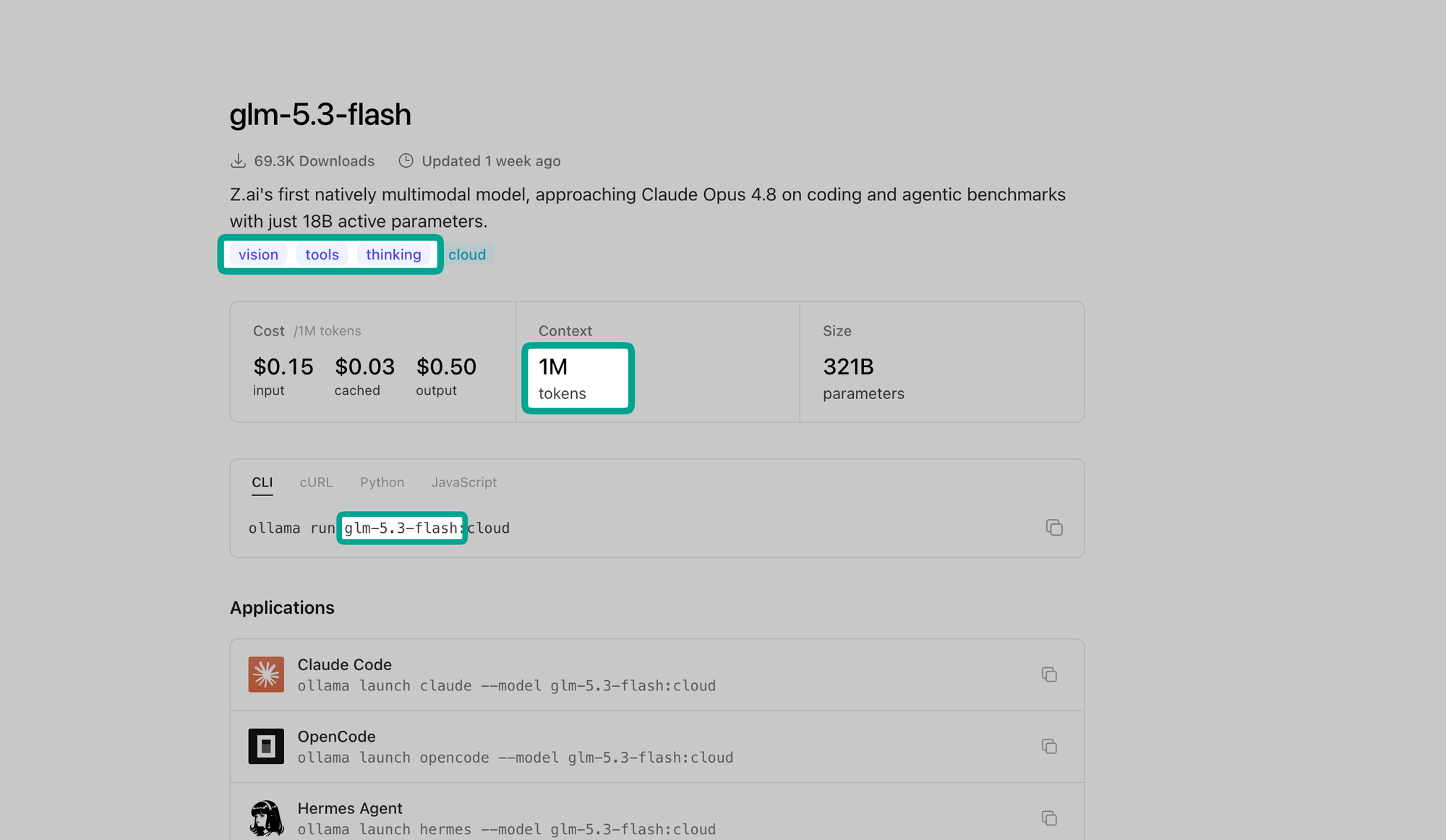
It's a bit annoying Raycast can't infer this automatically like e.g Hermes, LiteLLM and most tools can, so adapt them accordingly for the model you want to add to the custom provider. For reasoning models, Raycast recommends setting temperature to false and reasoning_effort to true.
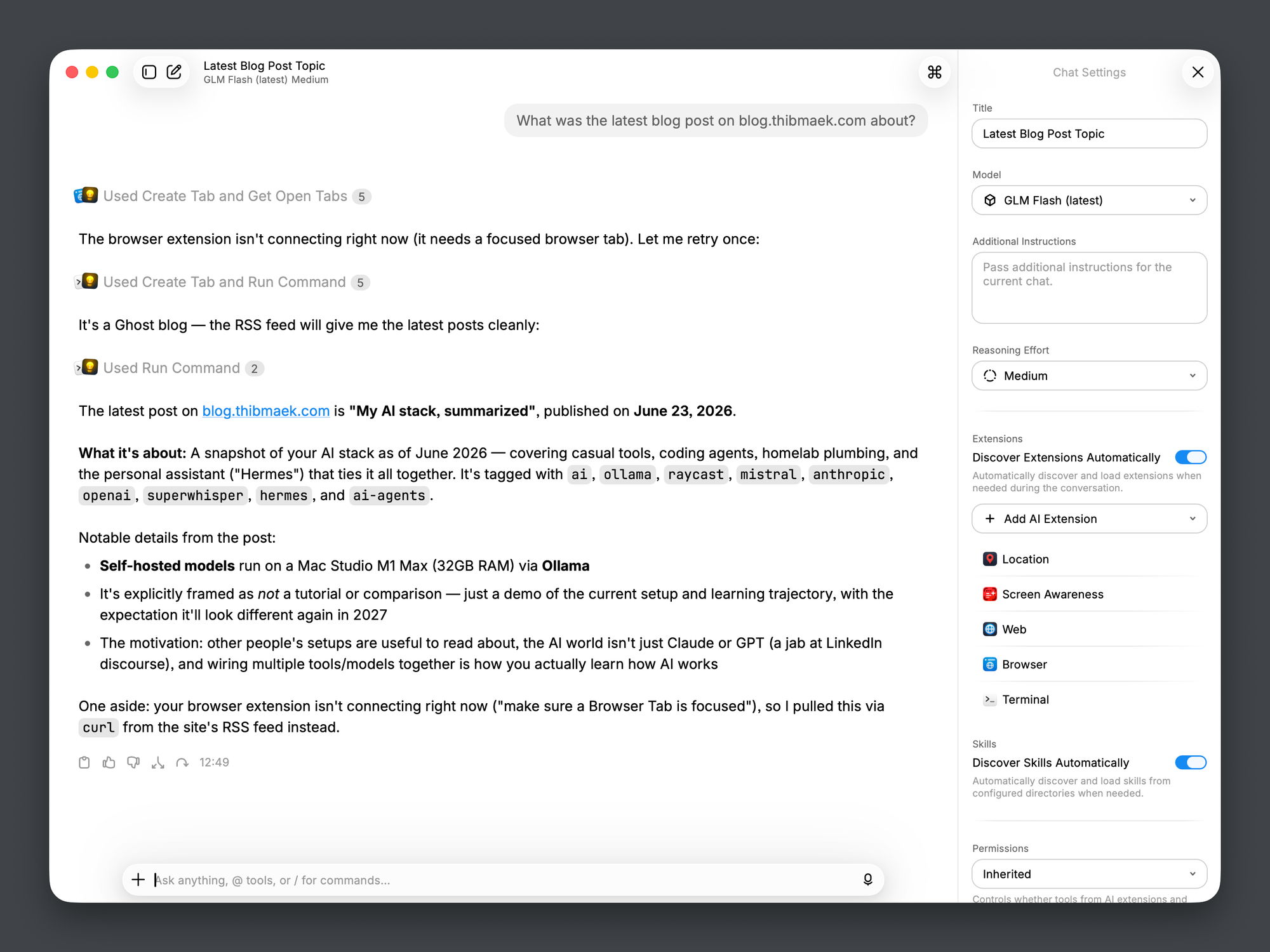
The manual claims no restart is needed since Raycast watches the file for changes, but I had to restart Raycast once before the Ollama provider showed up. Your mileage may vary. After that you just start chatting with it like any other Raycast AI model.
Closing note: Pricing
It's worth nothing both Raycast & Ollama sparked some recent debate concerning their shift in how they do pricing for their AI offering.
Raycast now requires a paid Pro subscription to use BYOM functionality with models you already pay for, whether through a direct API, an aggregator like OpenRouter, or a hosted collection of open-weight models like Ollama. Users are unhappy about this, Raycast drawing the card that the experience (macOS app, AI agent ecosystem, dictation) is what you pay for and not any subsidized model usage you typically see in other AI tools.
Ollama changed its usage-based plans, such as Pro and Team. These plans previously worked primarily through rate limits and usage windows, but now use a credit-based system. They provide only a baseline usage allowance, while all additional usage is billed directly to your credit card. Reddit users are complaining that the new $60 in Pro credits provides less value than the previous $20 Pro plan.
My feeling? I was a paying customer for Raycast and used it beyond AI, but I do find it odd to charge this amount for an experience when open source agent harnesses and toolkits are doing the same for free or less. On Ollama's turf I lucikly keep me legacy Pro account for now.
Anyway, as the hype fades, reality hits, economics close in on the AI space we will see more of these subsidized marketing tricks of software companies holding AI bacchanals, where everything is cheap, free and abundant dissapear. We'll rather have it turn into your company Christmas event's open bar that closes at 22:00 and then ending paying for your own drinks after.