My AI stack, summarized
A snapshot of my AI stack in June 2026 — casual tools, coding agents, homelab plumbing, and the personal assistant that ties it all together.


Prelude
The more and more I've learned about AI theory over these last three-ish years, the more my stack has evolved. I've been wanting to share a snapshot of my AI stack here on the blog for a while now for a few reasons:
- I find other people's setups genuinely useful to read about.
- Unlike what you read on LinkedIn there's not only Claude or GPT.
- Mine happens to be reasonably opinionated for other tinkerers.
- If something in here saves you an afternoon looking for the right tool, great!
- If it makes you shake your head, also great (and let me know why 🌝!)
I personally see my AI use as much as a hobby as a I do as a productivity tool, and the complexity of my setup is the whole point. Wiring multiple tools & models together is actually how I learn AI actually works, and I can swap pieces in and out without rebuilding my whole workflow.
The blog post you'll read below isn't a tutorial, and it isn't a comparison. It's just a demo and a small glimpse into my nerdness & learning trajectory so far. In 2027 it'll prob look different again.
Part 1: Daily drivers
Raycast
Most of my AI use on my Mac & iPhone feels just supercharged keyboard or app shortcuts.
Raycast has been my launcher of choice for a few years now, and when they shipped an AI chat baked in (⌘+space, type prompt, tab), I quickly found myself making it my default for lookups, quick answers and things to offload out of my mind.
Their Pro (+AI) subscription gets me every model out there. It's way faster than opening Claude's clunky & slow desktop or mobile app. The new Raycast Beta's AI is genuinely much better again, but it doesn't sync across devices yet, which is annoying because I use Raycast AI on my phone a lot too as go to quick AI from the iPhone's shortcut button.

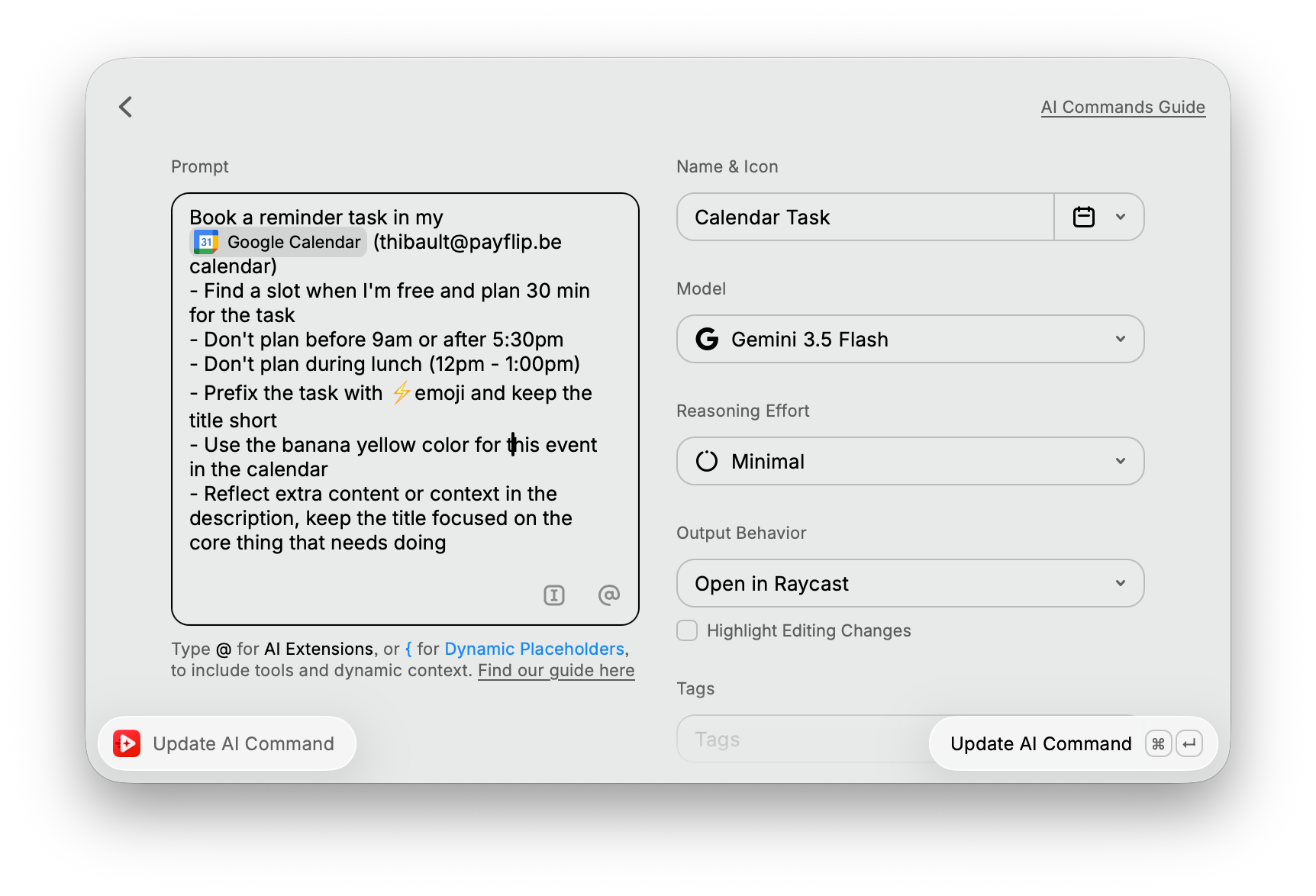
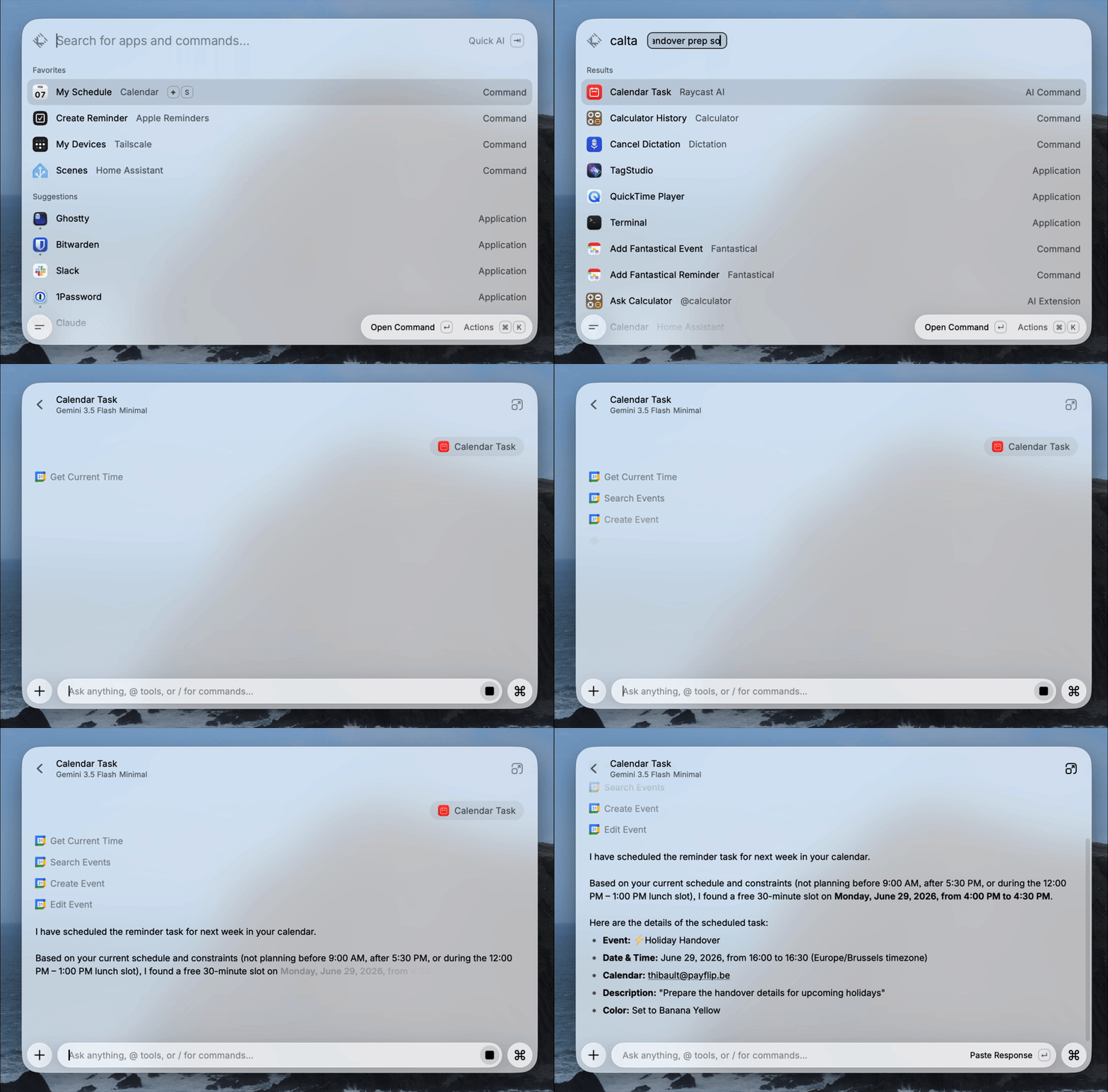
On macOS Raycast is more than just AI chat though. I lean on AI Commands for specific tasks with a clear prompt and tools, AI Presets for custom assistants with their own system prompt, and AI Extensions for tool calls triggered with @. Together they turn Raycast into a real AI agent experience on my Mac when I want to, not just a quick LLM to chat with. (All of this Raycast goodness is worth of a post in its own though)
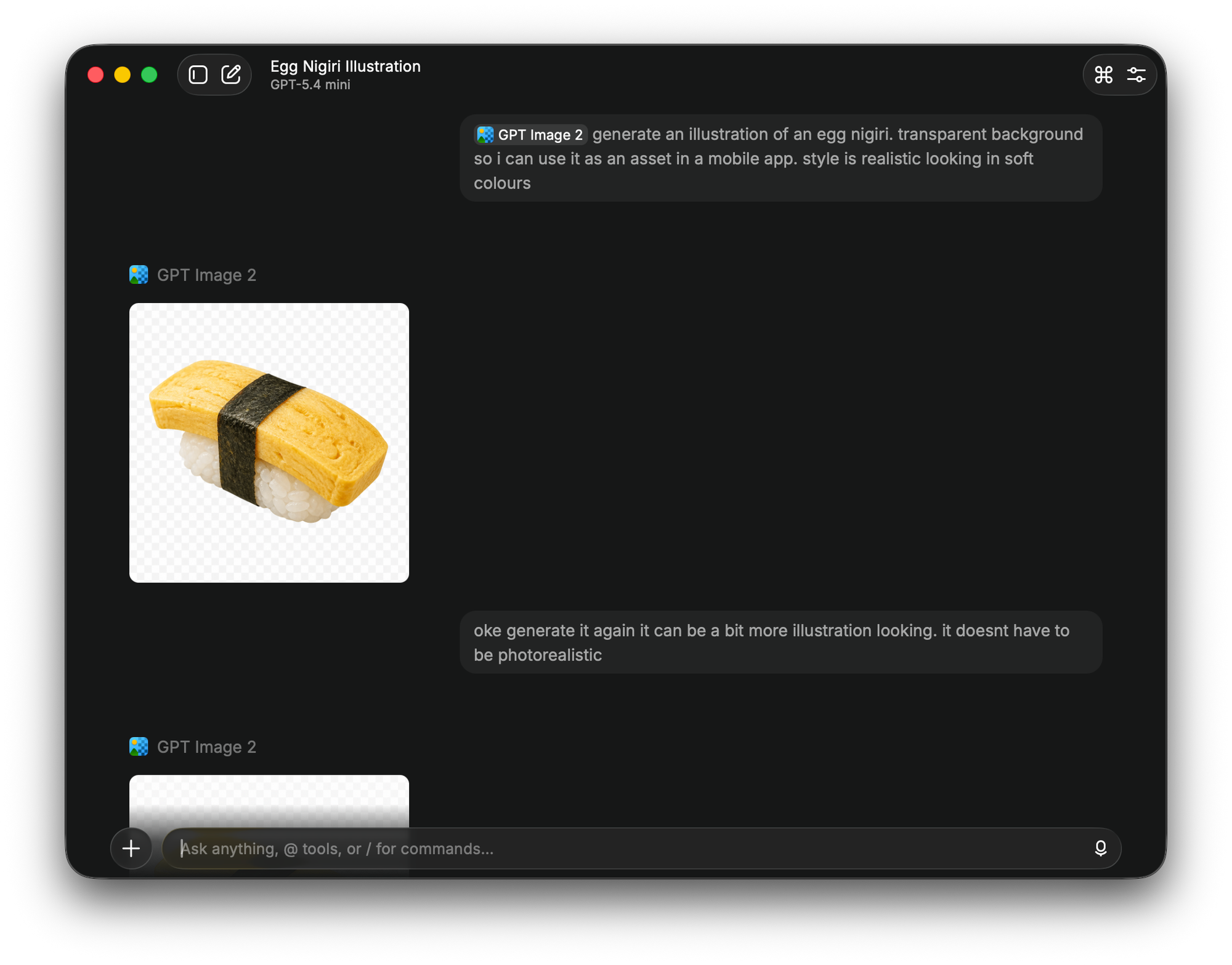
Closing off on Raycast, I also really like using it for image generation, defaulting to GPT Image 2. I'll get unlimited generations, saving the files locally quickly and the option to go to a different model if I want.
Superwhisper
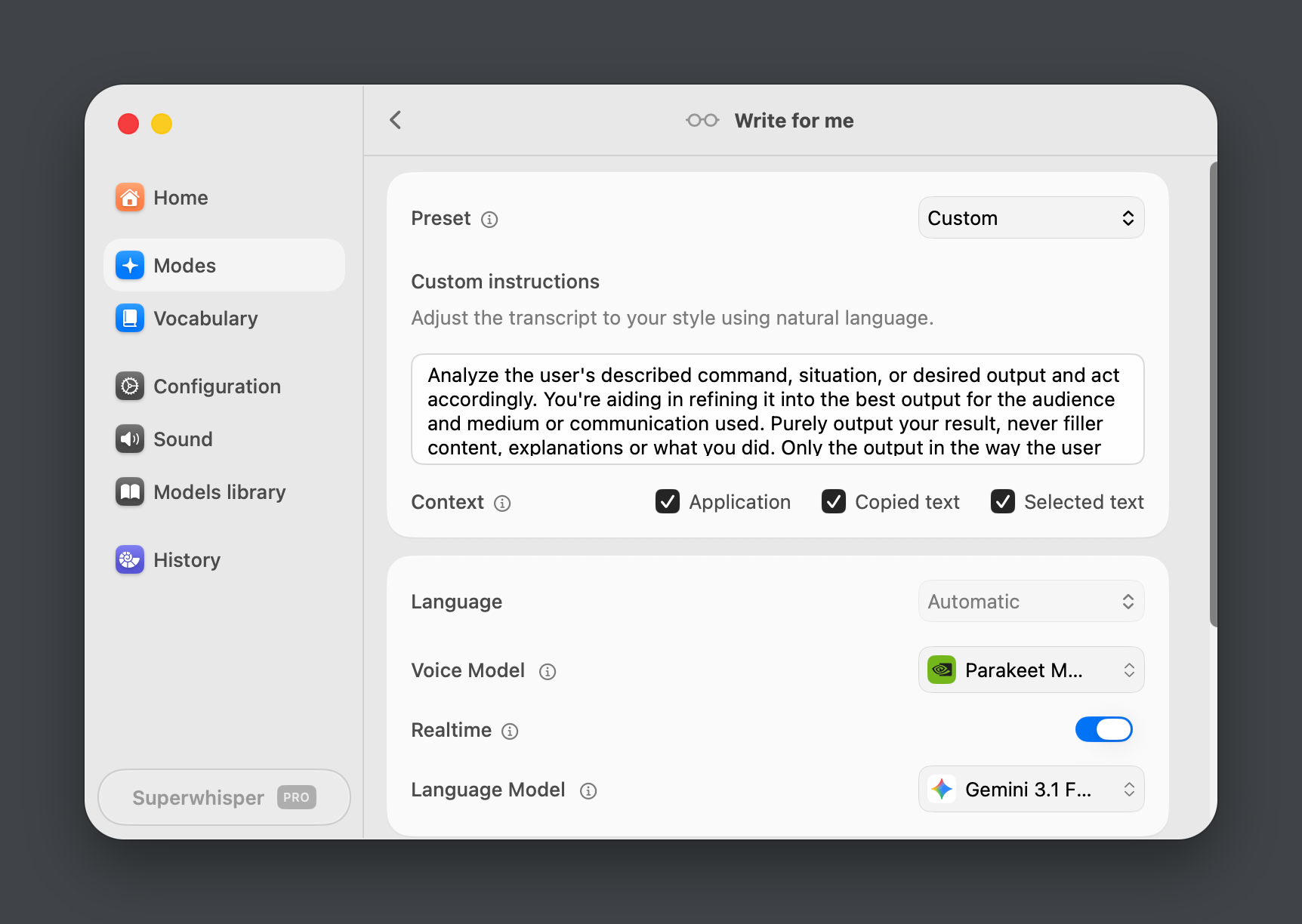
For AI enhanced voice dictation I use Superwhisper a lot and love it. The Modes feature is what makes it so useful: I record meetings, capture 1-on-1s, and have it generate draft notes from the transcripts. The STT/transcription model is the excellent Parakeet Multilanguage, that runs smooth like butter locally on my Mac Studio or any M-series MacBook. All while doing speaker detection, multilanguage and real time transcription.
I needed something that could handle Flemish, my accent, English and mixing English terms into Flemish. I think & express myself in Dutch so having a custom mode here that allows me to dictate in Flemish and have output in English is amazing.
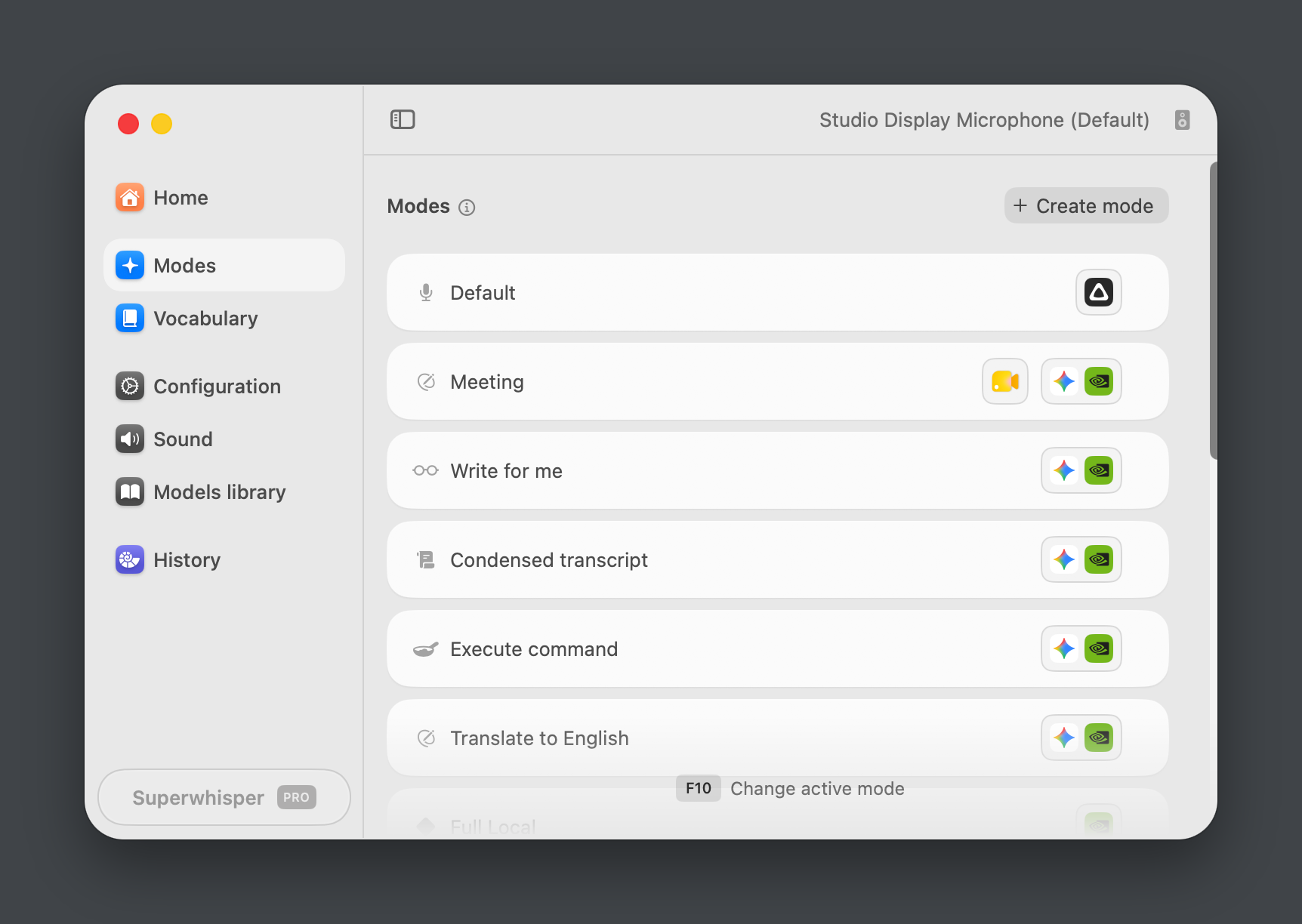
Since it's also able to capture application context and clipboard in a custom mode this really allows me to take it to the next level. Dictate something and in the meanwhile ask it to take selected text as context into account, and produce it in a form fit for the current application et voila you have a short Slack post of your ramblings.
PS: Raycast has a competitor looming for this that I will check out once they actually have dictation history and modes syncing.
Part 2: Coding agents
Cursor, Zed & Mistral Vibe
I started my agentic coding in Cursor. Initially, I liked it since it still felt like a true IDE/editor, avoiding that overload of terminal tabs or tmux multiplexer things. Cursor has a good selection of models, and at the time overall worked great for me. But I cancelled my subscription recently for two reasons: the pricing stopped being worth it for me for the occasional coding I do, but more importantly Cursor got acquired by Elon Musk in June 2026. That last one was the dealbreaker, as I have a distaste for things affiliated with Musk and want to get out of American tech where possible and refocus on either open source or European alternative.
So for my odd sideproject, CLI, TUI and freelance coding I switched to Zed. It's fast (…Rust duh), feels native on macOS, and it has proper ACP support. Thanks to ACP and its wide adoption I plug whatever is my main coding agent straight into the editor.
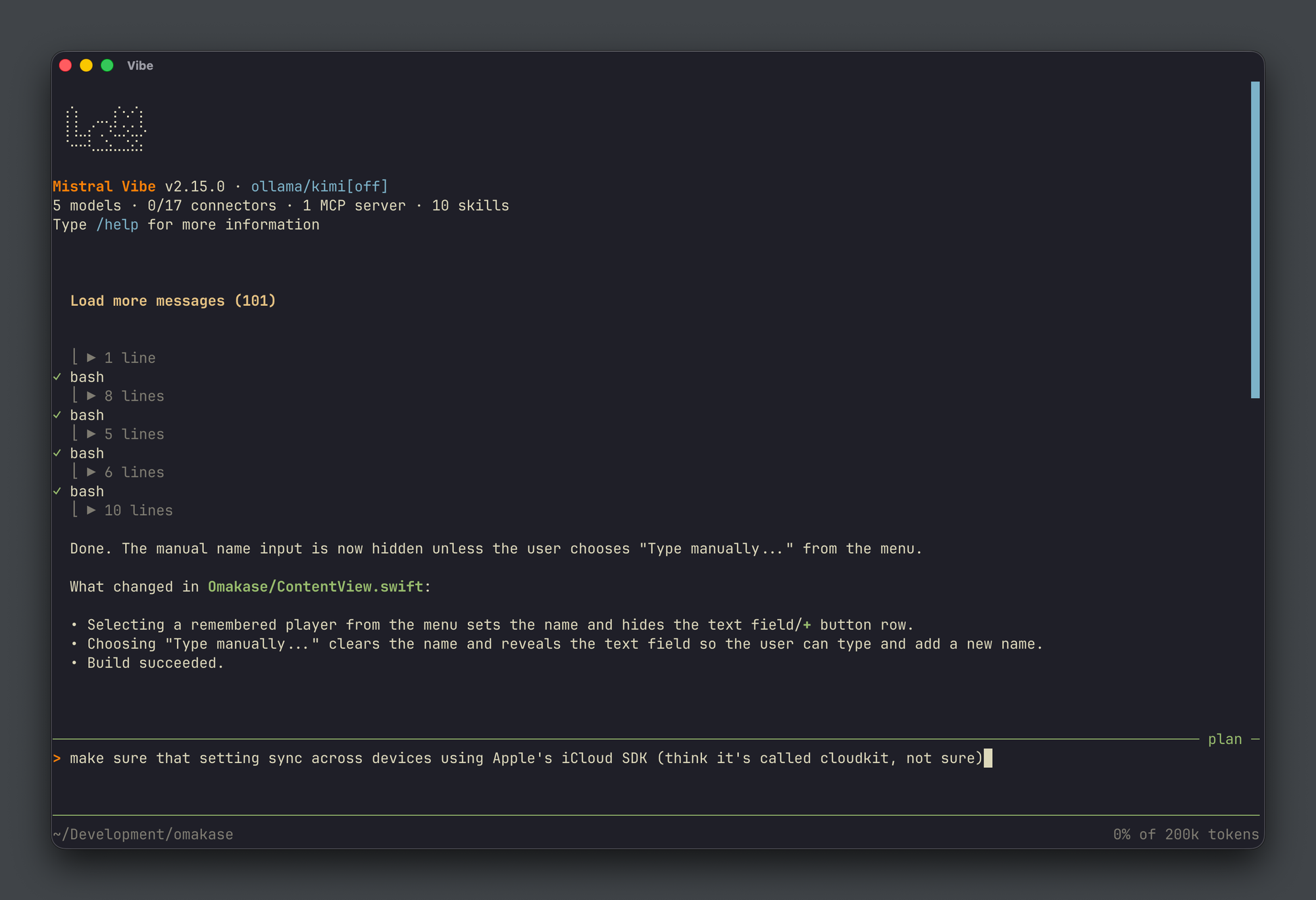
That agent is currently Mistral Vibe. Though most people will tell you otherwise ("Claude Code Opus 4.8 Max is GOAT!") I haven't found a single thing it couldn't do that Claude Code, OpenCode and Codex can. Plus it looks slick doing it, and it's European and open source. I'm not using their subscription here as other coding models have worked better for me (more in the next section), but I do use Mistral's non coding LLMs over the API quite often (more on that later).
Models via Ollama Cloud
Underneath the agent sits Ollama, via their Ollama Cloud subscription. That gives me a wide collection of open weight models like Qwen, GLM, Kimi, Gemma, Mistral, GPT OSS etc. running on Ollama's cloud infrastructure.
Right now my coding model of choice is Kimi 2.7 Code. For the work I do I notice almost no accuracy difference versus the Cursor days with GPT Codex, Claude Opus or Composer. If you're doing simple frontend, mobile or backend projects (which truth be told is most of us) then Kimi is just solid enough and a more than decent alternative.
Bonus: Shared skills & MCPs
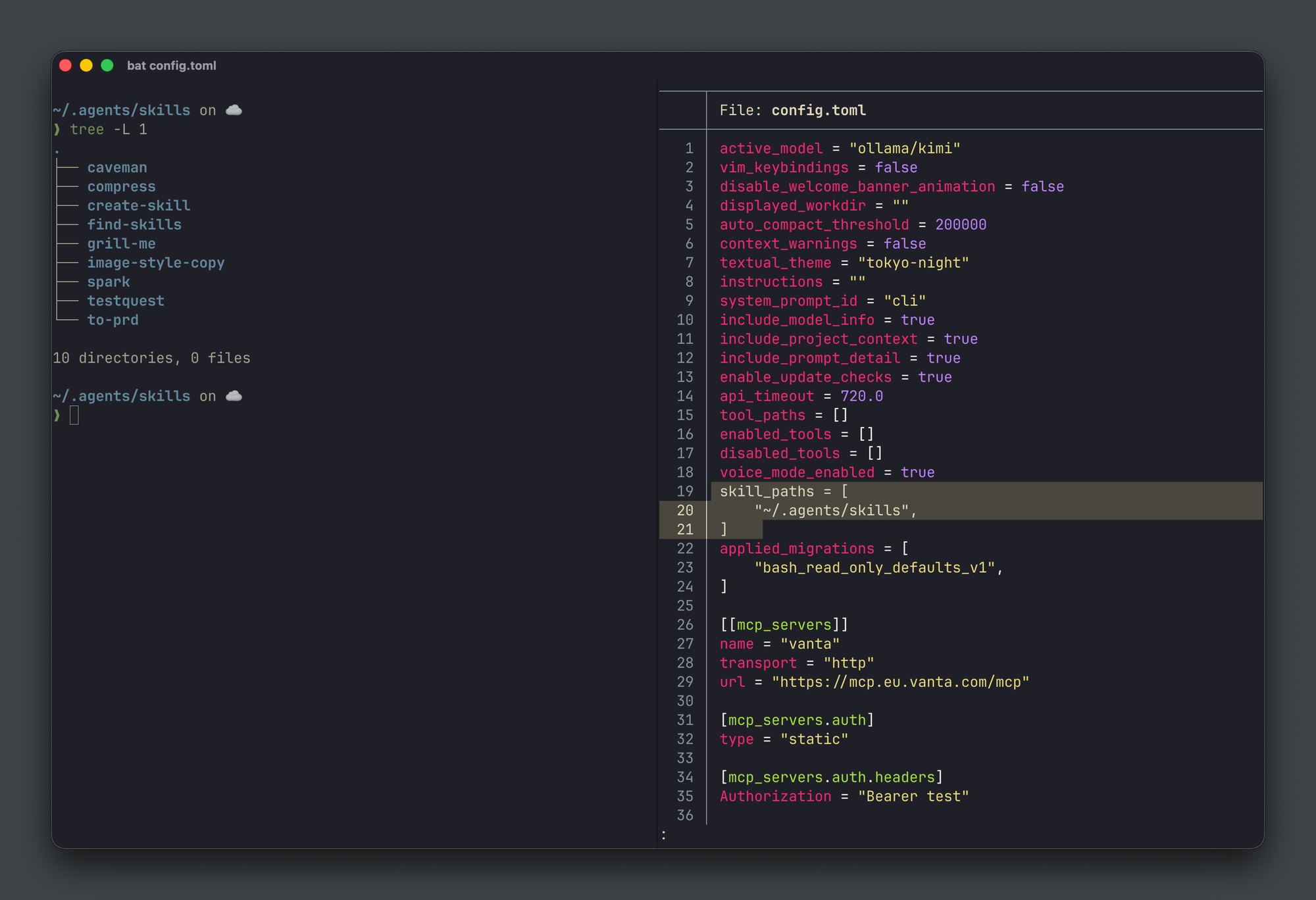
One thing that ties the casual and coding layers together on my computer is a shared skills directory. I keep all my agent skills in a central ~/.agents/skills folder, and I sync it across machines with Syncthing. That way every agent I run on the any of my computers, regardless of which model is behind it, has access to the same toolkit. Same skills in Raycast AI Chat, same skill in Mistral Vibe, or in a local Ollama chat.
Part 3: Homelab & local network
My home office is where I work most often, so I've tailored the space to have AI at every device's fingertips or on any of the services I run locally and depend on. The Mac Studio handles the leisure & work side, my Proxmox cluster handles the always-on & available side.
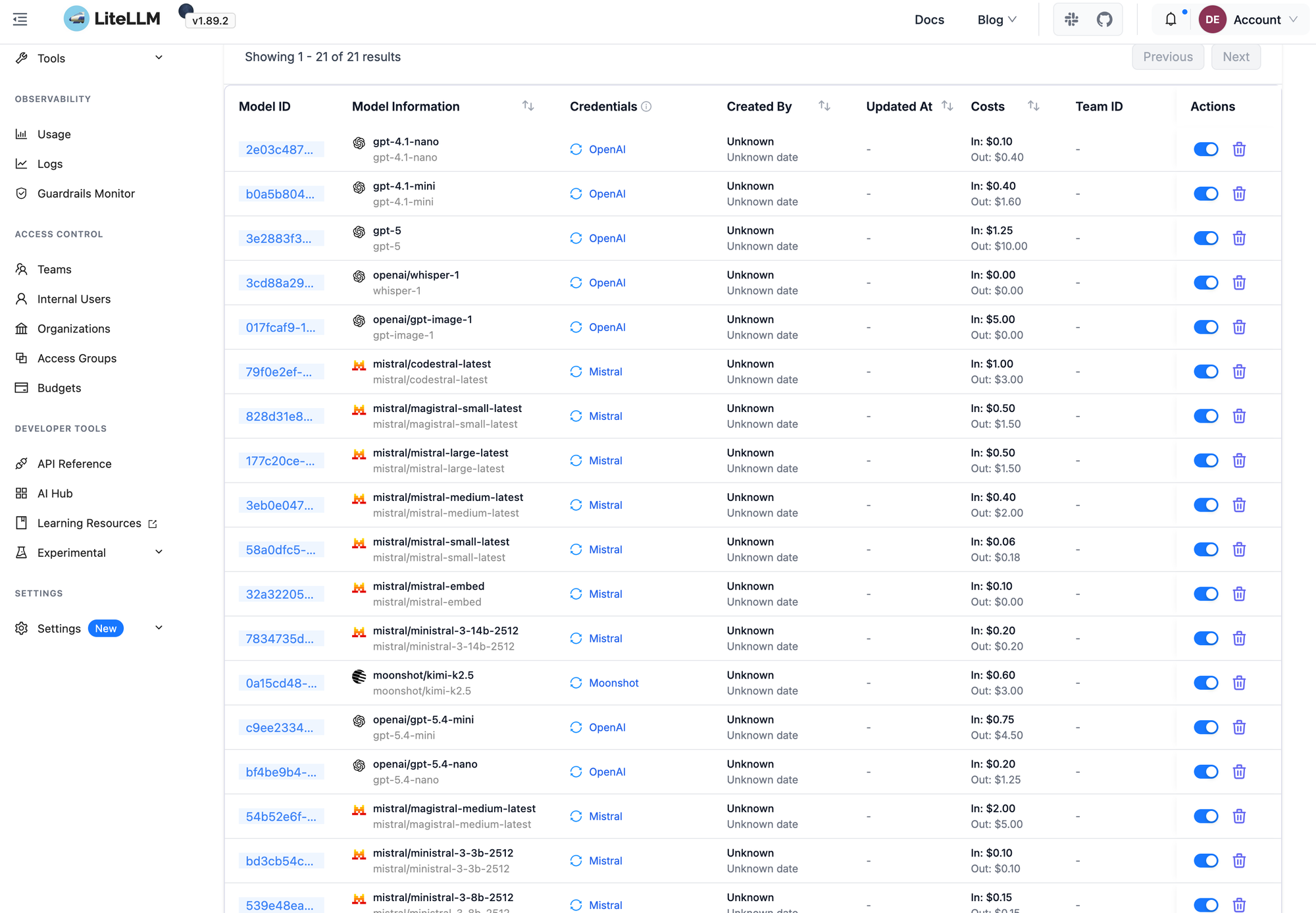
At the center of my network, running on the homelab sits LiteLLM, an OpenAI compatible AI gateway. I use it as a single front door for everything that needs a model. I just add upstream providers via BYOK or a subscription, and LiteLLM gives me centralised cost analysis per model, key management, per-model limits, and clean aliases. The point of having LiteLLM is to keep services ignorant of where models actually live.
Some examples of what's plugged in:
- Mealie imports recipes via a vLLM model, routed through LiteLLM
- A handful of handcrafted Docker containers that need an LLM endpoint
- My Ollama instance, exposed over LAN, so LiteLLM can re-expose those local models to other services. My Home Assistant uses this for things like morning briefings.
Having all these models by my side let's me tailor them to their use case. I don't need a large frontier model like Mistral Large or GPT 5.3 Codex to do simple classification or a quick OCRish check through vision. Mistral Small or GPT 4.1 Turbo will do those tasks with the same result at a faster speed and cheaper cost.
For web scraping and content extraction I selfhost the OSS version of Firecrawl. I liked their paid product but it was also rather expensive, so I was very happy to learn that I could smack a small server with minimal resources onto their OSS product and it does the job.
Part 4: An always-on personal assistant
So far everything has been either opportunistic (Part 1), session-based (Part 2), or quietly humming in the background (Part 3). The last piece is the one I use most extensively and have just had the most fun with recently: an assistant that's moves with me, is agentic, and doesn't care about the device I use it from. Something with access to skills, a filesystem, MCP, the web, my calendar, my todos, making it a space to offload my brain into on busy days or automate boring parts in my life.
Starting out I placed bets on running Open WebUI as a self-hosted ChatGPT alternative (on top of LiteLLM). I added tools manually, exposed it over Tailscale, and reached it either in the browser or via the third-party Conduit app. It worked, sort of. But Open WebUI is heavy, and as I kept tinkering with it, and it didn't really scale or gave me evenings in the sofa with the laptop doing some random form of maintenance where I'd rather spend time with my wife.
Then came a brief detour through Openclaw. Big mistake, enormous frustration, never again. More evenings on the laptop trying to fight a very slow & roughly developed thing.
Hermes is the alternative I landed on: lighter, self-improving through skills, and it lives in its own fenced off LXC on my Proxmox cluster. It's exposed to all my devices through Signal, my favorite chat app. It runs in a completely separate environment from me: a separate cheap Mobile Vikings eSIM, its own GitHub and Google accounts, its own OS user with system-wide access.
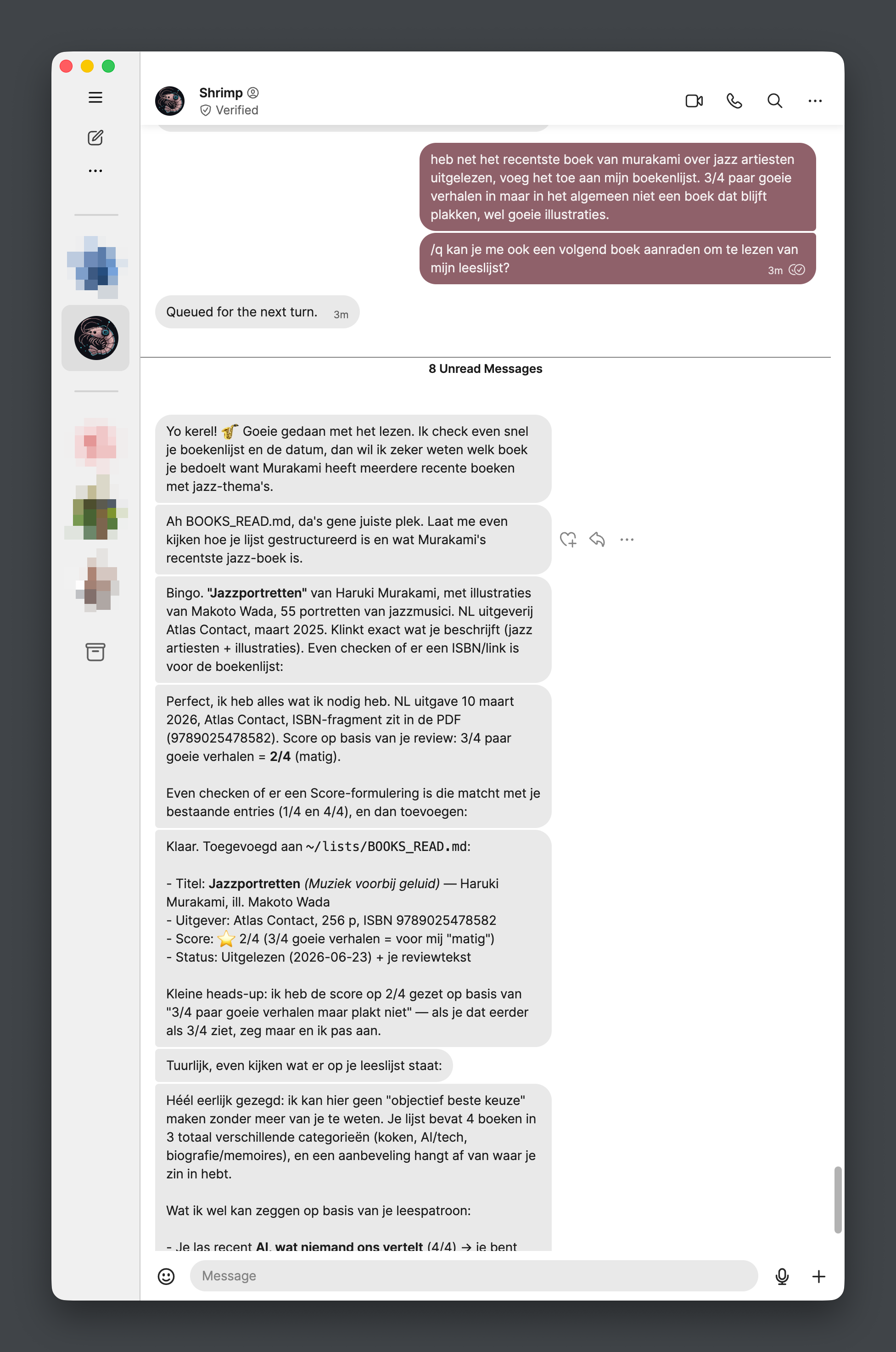
Hermes itself runs models via my Ollama subscription (currently Minimax M3). It manages my todos, maintains lists with me, handles calendar entries, analyses pictures, and can use parallel subagents when something is a bit more complex. Yes, it's very occasionally flaky, but I treat it like a space to think out loud and get drafts back, not get real answers. It's a robot running text prediction after all.
Especially on skills I've done some fun things: a skill that talks to Mealie via its REST API to add recipes, a skill that maintains a tiny personal CRM in ~/projects/ (when did I last meet someone, what changed in their life, where did we meet), a skill to keep a journal about work events. The skills are the actual intelligence of the system; the model underneath is interchangeable anytime.
Bonus: The 'system of record'
I built the following 'system of record' as the industry likes to call it (spoiler: just a collection of folders with clear names). In essence it forms the main workspace & context for Hermes and maybe later other agents.
~/artefacts/: things it generates that I want to pick up manually later (e.g. logged in via SSH or sent to me in Signal to take elsewhere)~/context/: global reference files (e.g company maps, my role, my company static data)~/lists/: markdown checklists with dates, categories, links~/projects/: multi-file work-in-progress, separate workspaces~/scraping_sets/: web scrapes via Firecrawl I give it in skills and context to reference a wider or most-accurate dataset~/TODOS.md: my general task list
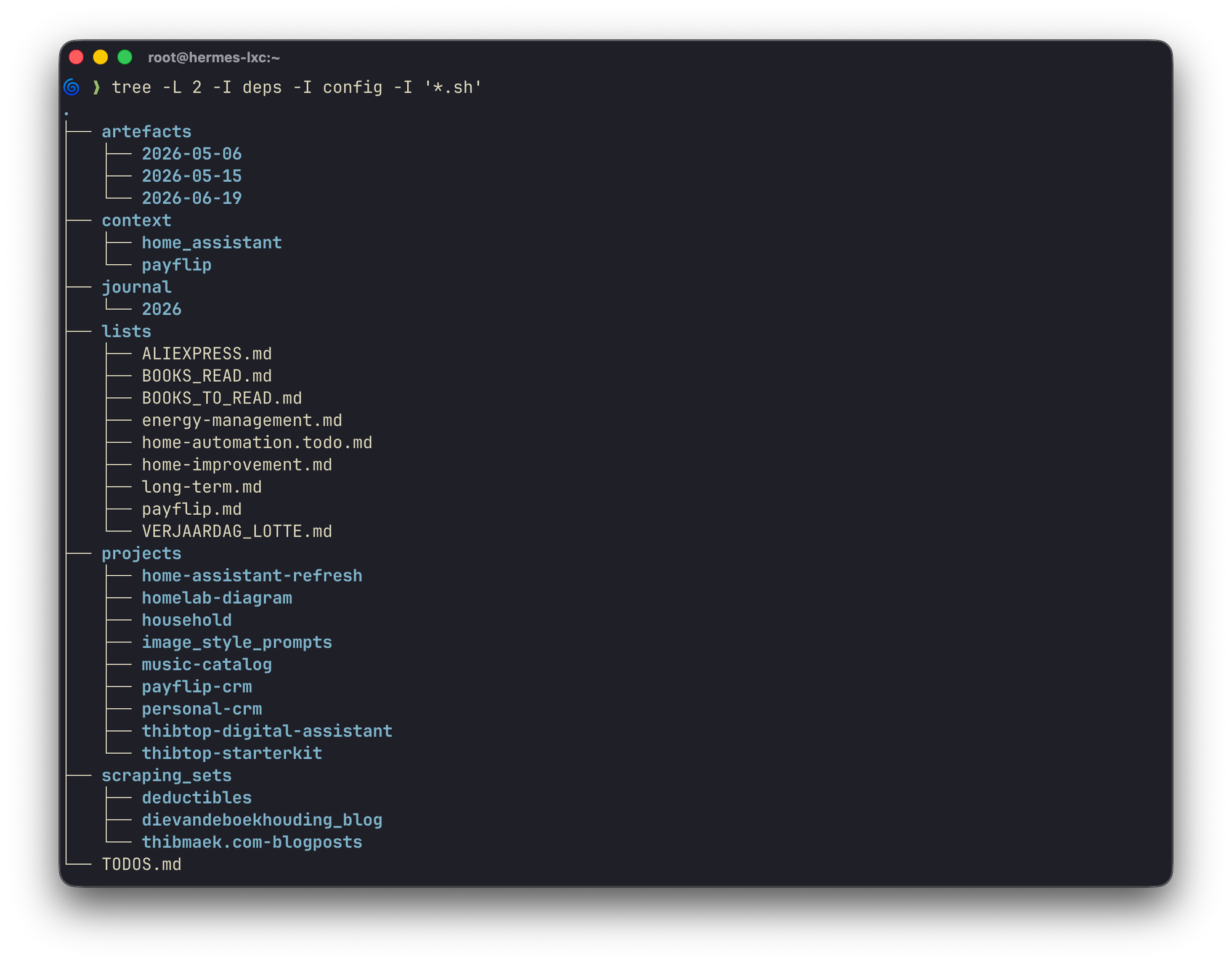
The next iteration could be to move all of this into an Obsidian vault that AI writes into, with Syncthing syncing it to every device I read on. Still thinking if it's worth it.
The gap remains mostly editing: when I want to tweak a skill or polish an agent-generated doc, I go back and forth with instructions on Signal, ask the agent in a session in the terminal, or ssh in and open Zed on the remote filesystem. It works, but it's the only thing in this stack that doesn't scale that well yet.
Part 5: Why I don't use Claude, Codex, and the other seemingly only AI tools
Three very personal & opinionated takes:
- It feels ridiculous to keep paying premiums to Anthropic and/or OpenAI when the alternatives have genuinely caught up and offer wider options & differentiation.
- I don't love how these companies position themselves in the world, the industry, society, and the current political climate.
- Specifically Anthropic's downtime I think is unjustifiable for a company asking this amount of money for their mid-tier subscriptions and wanting to become the single tool at work.
But most of all I just haven't hit a wall without them or without going for the top tier model everyone acts like is the only thing that exists. You wont' need a Ferrari to drive 1km to the supermarket, or like my ex-colleague Peter said "a bike sometimes gets you there faster".
So I'm set on the current preference of picking models & tools:
- Open weight models
- European models (Mistral)
- Big tech models as a very last resort.
The "Claude is magic" mantra you'll hear is I believe, a blindsided view. A lot of these agents, models, systems theoretically work exactly the same way underneath. They're all transformer-based, MoE is not a company proprietary architecture, skills are just a consistent named Markdown file with instructions and even though Anthropic calls it Connectors it's just the same MCP every other thing speaks. Data and tuning can make a difference but every self respecting company releasing models has done that qualitatively enough for the common people like us to use AI.
By playing around and experimenting I've experienced that firsthand. I can move between systems and build real knowledge, instead of trying to prompt my way into understanding it through one specific product.
Same goes for image generation since there's not really image generation model alternatives often included aside from GPT Image (and it's also just good I must admit here).
Wrapping up
If there's one thing tying this whole stack together, it's modularity.
No tool or model above needs to be sticky. Zed could be replaced tomorrow. Mistral Vibe could lose to something else. LiteLLM replaced with Tailscale Apex. Ollama is the model runtime, but the models themselves rotate constantly.
What does need to stick thought is the plumbing between pieces, and the skills that teach each layer how I work. The knowledge you gather when experimenting with different models & tools sticks. And of course the personal values of trying to not be blind when using AI in our current status quo of the world.
This blogpost was lengthier then I wanted. It's probably too much for most people looking at casual reads about LLMs or tools. But AI exploration has become sort of a hobby of mine, and hobbies are allowed to be just that bit overengineered. If you're at the start of your own stack and reading this feeling overwhelmed: pick one tool, one open weight model, try one agentic workflow. Make it useful. Then add the next layer only when the first one gets boring. Variation gets you the longest way in learning.