Auto-downloading YouTube DJ mixes into Plex using yt-dlp
Automatically download new DJ mixes from a YouTube playlist to your NAS for Plexamp, using yt-dlp, a small Bash script, and a nightly cron job

I listen to a lot of DJ mixes, in the car, in the kitchen while cooking, when doing a spring cleaning up or just during work. Most of the sets I like come primarily and best on YouTube. I steered away from Spotify as primary music source some years ago and now primarily listen to music stored on my NAS in Plex, through Plexamp. So the mixes have to end up on the NAS, and I don't want to do that by hand every time like I did in the past, bookmarking a link and running it through a CLI command with a gazillion flags to remember.
I crafted this before we ran stuff like this through AI, spending tokens and electricity on something very simple: a YouTube playlist, a shell script and a cron job.
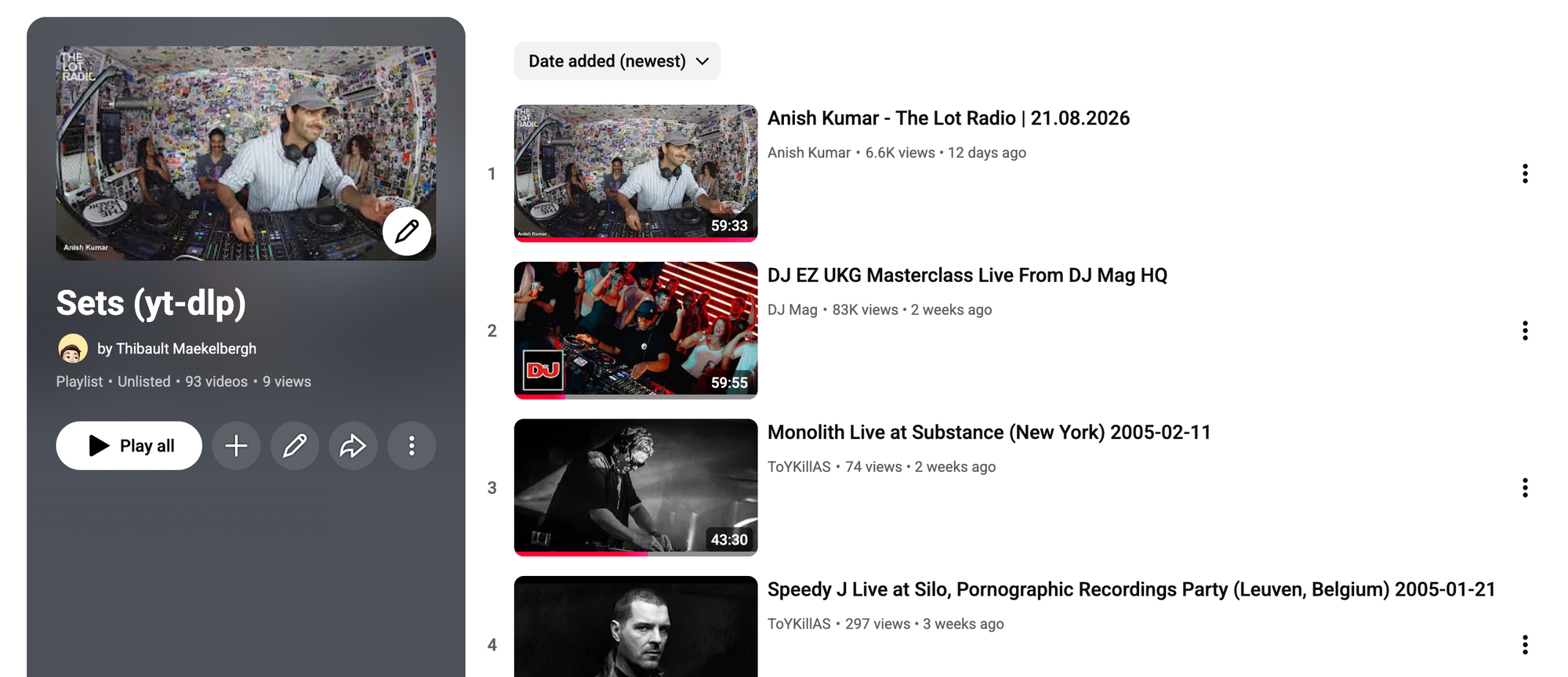
The playlist
When I come across a mix I want to keep, I add it to one YouTube playlist. That playlist is the queue, adding a video there is the only manual step in the whole chain.
The script
I use the excellent yt-dlp CLI utility, an evolution of youtube-dl (RIP 🪦). A small bash script then downloads every entry in the playlist that is not downloaded yet:
#!/usr/bin/env bash
set -e

DEFAULT_PLAYLIST_URL=""
DOWNLOAD_DIR="/mnt/nas_media/music/mixes/auto-yt-dlp"
ARCHIVE_FILE="$DOWNLOAD_DIR/archive.txt"
PLAYLIST_URL="${1:-$DEFAULT_PLAYLIST_URL}"

if [ -z "$DOWNLOAD_DIR" ]; then
  echo "No download dir set."
  exit 1
fi

if [ ! -d "$DOWNLOAD_DIR" ]; then
  mkdir -p "$DOWNLOAD_DIR"
fi

/root/.nix-profile/bin/yt-dlp --extract-audio \
  --audio-format m4a \
  --audio-quality 0 \
  --download-archive "$ARCHIVE_FILE" \
  -o "$DOWNLOAD_DIR/%(title)s.%(ext)s" \
  "$PLAYLIST_URL"
yt-dlp extracts the audio as m4a at the best available quality. The download archive keeps track of everything already fetched, so re-running the script never downloads the same mix twice. Files land in one flat folder on the NAS and are picked up by Plex watching the directory.
A simple cron entry then runs the script every night at 01:00:
0 1 * * * /root/unix-scripts/scripts/yt-dlp-auto-download-playlist.sh "https://www.youtube.com/playlist?list=PLENMKQbiJ-JXwcKkMNbCsnXGshcrODg-4"A mix I added during the day is on the NAS the next morning. No app, no button, no thinking about it.
Limitations
Some trade-offs:
- The audio is of course just YouTube's audio track separeted from the video it downloads: lossy, at whatever bitrate the source has. No way around this, but also fine for the background music it is.
- Bit more cumbersome as I'm a huge nerd organising my music collection to perfection with the right metadata tags: There are no straightforward ID3 tags and the filename comes from the video title, so Plex sorts by filename and shows no artwork. You can try to infer tags with yt-dlp but sometimes the uploader is the artist, sometimes it's in the title of the video, sometimes it's absent. Might need to write an AI script to infer this but too unbothered with it for now.
- Videos that disappear from YouTube fail on every run. They never reach the archive, so the script keeps warning about them until I remove them from the playlist.